Introduction
Data Transform in Salesforce Data Cloud is a powerful feature that allows businesses to clean, enrich, and standardize their customer data before it is used for analytics, segmentation, or activation. Since Data Cloud ingests data from multiple sources, ensuring that the information is consistent, accurate, and ready for use is essential. Data Transforms help in maintaining this consistency and improve decision-making with reliable data.
Why Data Transform is Important
When customer data flows from different platforms, it often comes in varying formats, structures, and levels of quality. Without transformation, this data can lead to duplicate records, inconsistent insights, and ineffective marketing campaigns. Data Transform ensures:
- Data standardization across all systems
- Removal of duplicates and invalid entries
- Improved accuracy of segmentation and personalization
- Better compliance with data regulations
Watch Video Tutorial
Here’s a detailed walkthrough on how Data Transform works in Salesforce Data Cloud:
Types of Data Transform in Data Cloud
There are several key types of Data Transform operations in Salesforce Data Cloud. Each serves a specific purpose in improving data accuracy, consistency, and readiness for activation.
- Data Standardization: Ensures consistent formats for data fields such as phone numbers, email addresses, and date fields. Example: Converting all dates to “YYYY-MM-DD” format.
- Data Cleansing: Removes incorrect, incomplete, or duplicated records, keeping your database clean and reliable.
- Data Enrichment: Adds missing attributes such as demographics, location, or behavioral data by integrating third-party or internal datasets.
- Field Mapping & Formatting: Aligns source data fields to Salesforce Data Model Objects (DMOs), ensuring accurate ingestion and seamless downstream analytics.
How to Use Data Transform
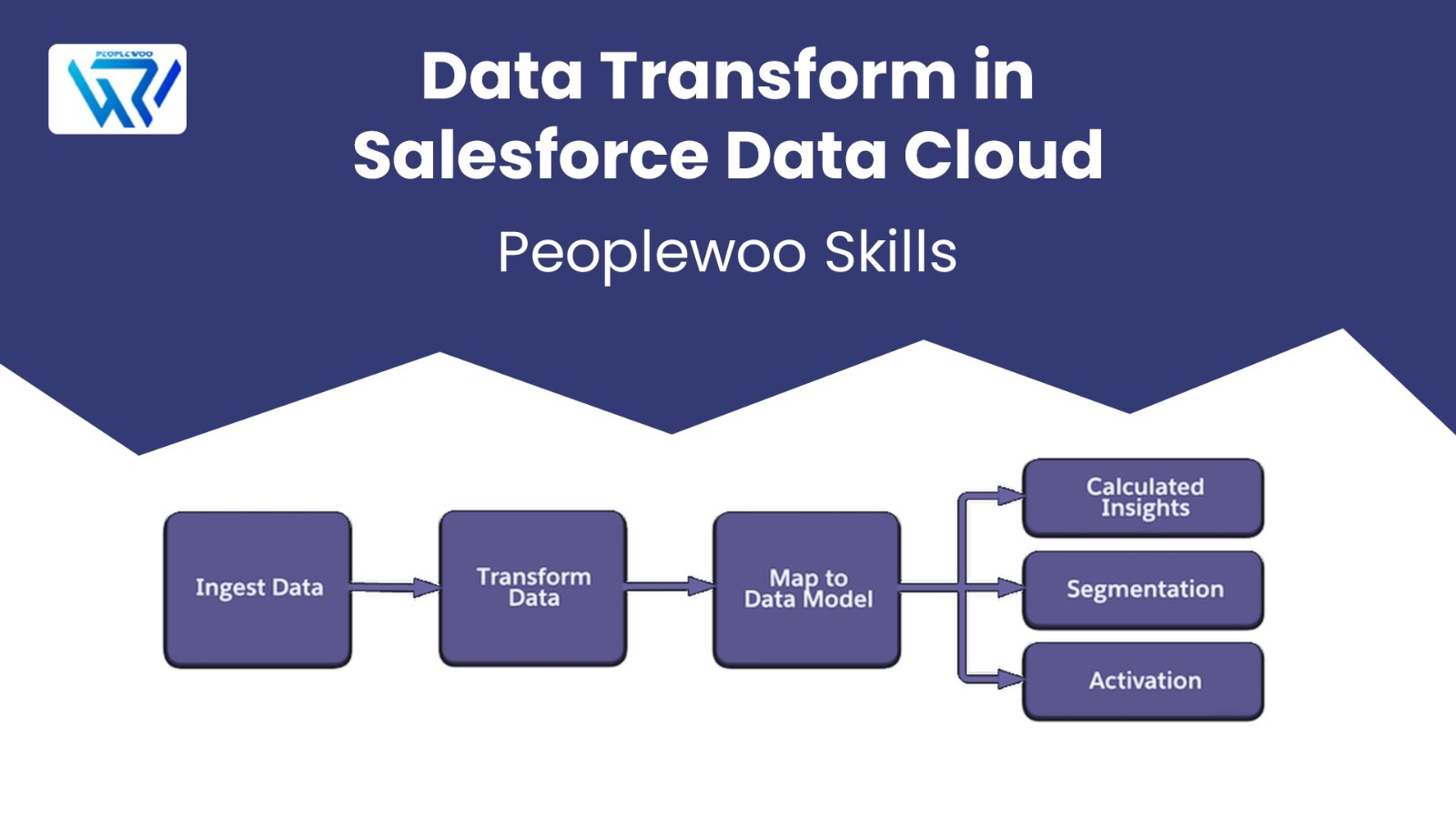
Setting up a Data Transform in Salesforce Data Cloud involves defining rules and mapping fields to standard structures. Here’s how you can implement it step-by-step:
- Ingest Raw Data: Import data from internal systems, APIs, or external sources into Salesforce Data Cloud.
- Apply Transformation Rules: Use cleansing, enrichment, and standardization logic to ensure uniformity.
- Map Fields to DMOs: Align incoming fields with existing Data Model Objects to maintain schema consistency.
- Activate Data: Once transformed, use the refined data for segmentation, analytics, or activation across Marketing Cloud and other tools.
Best Practices for Data Transform
- Define transformation logic during the data strategy planning phase.
- Automate validation rules to prevent poor-quality data ingestion.
- Document all mapping and transformation rules for transparency.
- Regularly test transformations with sample datasets.
- Leverage Data Cloud automation for recurring data processing
Start Your Salesforce Data Cloud Career Today
Join hundreds of successful learners at Peoplewoo Skills and build a rewarding career in Data Cloud, marketing automation, and CRM consulting.
Why Learn Data Cloud with Peoplewoo Skills?
- Live, instructor-led training with real-time practice
- Hands-on experience with Salesforce Data Cloud projects
- Access to sandbox orgs and datasets
- Free demo and career support
- Preparation for Salesforce certification
Frequently Asked Questions(FAQ).
Conclusion
Data Transform is the backbone of accurate and actionable insights in Salesforce Data Cloud. By transforming raw and inconsistent data into a unified format, businesses can drive better personalization, customer engagement, and overall data-driven decision-making. Mastering Data Transform will ensure your data foundation is strong and reliable for advanced use cases.
More Resources
Explore more Salesforce Data Cloud tutorials and training resources:
Build smarter. Learn deeper. Succeed with Peoplewoo Skills.